
About Breakout Racing
Breakout Racing gives its police escape a distinctive premise: a panda is part of the getaway. The car moves forward and changes direction through clicks, while coins support vehicle progression between chases. That makes the next input a timing decision rather than a conventional steering-wheel adjustment.
Traffic can redirect or slow the car, but impacts also consume the margin available for the escape. Boosters and fuel pickups add opportunities along the road. The challenge is deciding which contact, turn, or pickup helps the next section instead of merely producing a momentary change in direction.
How to Play Breakout Racing
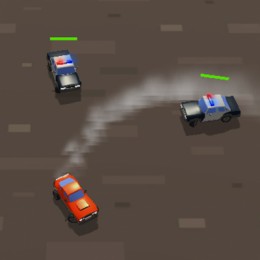
Click to change the car’s direction as it moves through the city. Avoid police containment, keep an eye on the run’s energy or fuel indicators, and collect useful pickups when the road leaves a safe approach.
- Begin the getaway and use the displayed mouse input to change direction.
- Keep a viable street ahead while monitoring the run’s resource indicators.
- Collect useful pickups without trapping the car and continue the escape while resources permit.
Controls & Timing
Click timing in traffic
An input must fit the opening you are approaching. Repeatedly clicking because police are close can send the car between threats without giving it a clear path beyond them.
Contact and resources
Impacts cost energy, while pickups help sustain the run. Treat a collision as a cost to manage, not a free steering technique to repeat indefinitely.
Controls
| Input | Action | When to use |
|---|---|---|
| Mouse click | Change the moving car’s direction. | While following the route and avoiding obstacles. |
| Press / release timing | Adjust the path in response to the traffic; follow the active game prompt. | When preparing for a turn or changing direction. |
High Score Tips
- Keep a route after each click. A new direction is useful only when the following section remains open.
- Watch the resource indicator. Do not wait until an almost-empty display to start looking for a reachable pickup.
- Use boosters with space ahead. An acceleration opportunity can become dangerous if the next road is crowded.
- Do not deliberately crash without an exit. Redirection is a poor trade if it leaves less energy and no safer position.
Key Features
- A distinctive getaway. Panda-themed police getaway.
- Mouse steering. Click-based direction changes.
- Costly contact. Traffic contacts have a resource cost.
- Collectible rewards. Coins, pickups, and vehicle appearance progression.
Frequently Asked Questions
How is the car controlled?
Click to change direction while the car moves forward. Watch the next corner and time the click to keep the car on a clear route.
Are collisions helpful?
They may change the car’s path, but they also carry a cost. Avoid presenting a risky impact as the default way to turn when a cleaner route exists.
Why watch fuel or energy?
Keep an eye on the remaining resource meter and collect reachable refills before it runs out. Avoid a pickup if reaching it would trap the car.
Is this a normal lap race?
The challenge is a city getaway with police pressure and distance progress. Your priority is sustaining the escape rather than completing a conventional circuit.