

About Escape Road 3
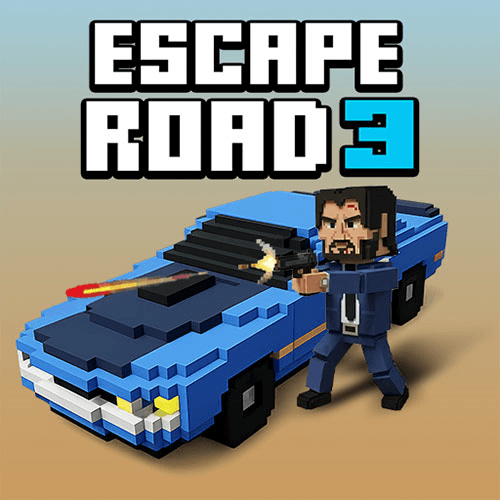
Escape Road 3 expands the getaway beyond choosing a car. Its preparation includes a vehicle, a character, and an item, with combinations creating different opportunities during the pursuit. You still need to avoid police, but the route no longer has to remain on the same kind of terrain throughout the attempt.
Swimming, boats, and aircraft offer alternatives to driving, while side challenges provide additional rewards. These additions give exploration a purpose: learning where a change of transport might help is part of planning a longer escape. Driving remains the foundation, while the new systems add decisions around it.
How to Play Escape Road 3
Choose your vehicle, character, and available item, then use WASD to drive away from police. Change transport with Space when the environment calls for it, and use F for the equipped Legendary item. Explore side challenges for rewards between pursuit attempts.
- Select an available vehicle, character, and item before beginning the pursuit.
- Drive through the environment and change transport when the route calls for it.
- Use the equipped Legendary item at a useful moment, then explore side challenges and rewards between attempts.
Controls & Timing
Preparing a combination
A car, character, and item are parts of the same plan. Change one choice at a time while learning so you can notice whether the combination improves your ability to escape instead of merely looking different.
Changing environments
Water does not automatically mean failure in this sequel. Swimming and alternative vehicles create possible continuations, but you still need somewhere useful to go after making the transition.
Controls
| Input | Action | When to use |
|---|---|---|
| WASD | Drive and control your movement. | While following the route and avoiding obstacles. |
| Space | Leave or enter a vehicle. | When changing between driving and on-foot travel. |
| F | Use the equipped Legendary item. | When the available action suits the current situation. |
High Score Tips
- Learn one loadout first. Familiarity makes it easier to tell whether a poor result came from the route or the equipment.
- Plan beyond the shoreline. Water is another space to navigate, not a promise that the pursuit no longer matters.
- Use side challenges deliberately. Try a reward activity when you want a specific change of pace rather than confusing it with the main chase objective.
- Keep an ordinary road exit available. Extra abilities complement clean driving; relying on them to fix every collision gives you fewer choices.
Key Features
- Prepare a loadout. Vehicle, character, and item selection before a run.
- Alternative routes. Swimming and multiple forms of transport.
- Side challenges. Side activities with unlockable rewards.
- Varied settings. Urban and other environments extend route variety.
Frequently Asked Questions
Can I swim in this sequel?
Yes. Swimming gives you another escape option. You should still choose a destination rather than entering water without a plan for the next part of the route.
What does F activate?
Press F to use a Legendary item. Availability depends on what you have equipped; it is not a universal driving or acceleration command.
Are the mini-games the main objective?
No. The main pursuit still centres on survival. Mini-games and side activities add rewards and alternative challenges alongside the ongoing escape loop.
Do I have to stay in one car?
No. You can change vehicles and use other transport. The useful choice depends on your current surroundings and where you can continue safely.