
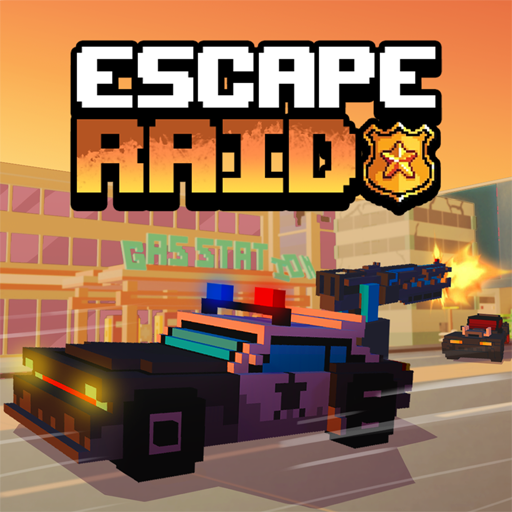




About Escape Raid
Escape Raid adds armed defence to a driving escape. You play a sheriff in a post-apocalyptic setting, with hostile vehicles closing in while obstacles constrain the route. Steering and fighting share your attention, so a good weapon opportunity must still leave enough room to continue driving.
Vehicle and weapon unlocks create progression outside the immediate chase. Equipment has different characteristics, so learn what your current weapon can do before switching again. The central objective remains survival; an enemy you can attack is not always an enemy worth turning toward.
How to Play Escape Raid
Drive with WASD or the arrows, avoid becoming trapped, and attack with Space or the left mouse button. Use Q to change weapons when needed, collect rewards, and develop the vehicle and equipment between attempts.
- Begin driving through the wasteland and identify space away from enemy pressure.
- Attack while moving and switch weapons when a different option suits the target.
- Collect rewards during survival and use the available vehicle or equipment choices between attempts.
Controls & Timing
Moving while fighting
Aim and attack opportunities should be judged against the road ahead. If a shot requires you to abandon a clear route, the gain may not justify the new obstacle directly in front of you.
Choosing equipment
Switching weapons changes your response to a pursuer. Learn the selected option in an open area before relying on it at a crowded choke point.
Controls
| Input | Action | When to use |
|---|---|---|
| WASD / Arrow keys | Drive and steer. | While following the route and avoiding obstacles. |
| Space / Left mouse button | Attack. | When the available action suits the current situation. |
| Q | Switch weapons. | When the available action suits the current situation. |
| C | Change camera view. | When checking the surrounding route. |
| E | Lock the current weapon. | When the available action suits the current situation. |
High Score Tips
- Keep an exit during an attack. Do not let the target become the only thing you watch.
- Use the camera for visibility. Choose the view that helps you track the route and the surrounding pursuit.
- Change weapons deliberately. A specific problem gives you a better reason to switch than panic does.
- Spend rewards on an identified weakness. Decide whether your trouble is driving, survival, or attacking before choosing the next unlock.
Key Features
- Vehicle combat. Armed vehicle pursuit in a wasteland.
- Independent actions. Separate driving and attack inputs.
- Combat adjustments. Weapon switching and camera control.
- Equipment progression. Unlockable vehicles and combat equipment.
Frequently Asked Questions
Do I only evade enemies?
No. The game includes weapons for fighting back while driving. Survival still requires avoiding obstacles and maintaining a usable route.
How do I attack?
Press Space or the left mouse button to attack. Keep steering and watching the road while using the weapon.
What does Q do?
It switches weapons. Check the newly selected equipment before assuming it behaves like the previous option.
Is destroying every enemy the objective?
The main goal is lasting as long as possible. An attack is useful when it supports that goal rather than forcing the vehicle into another threat.