




About Hill Climb Racing
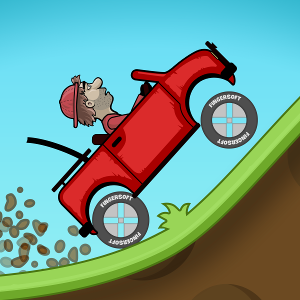
Hill Climb Racing challenges you to balance a vehicle over uneven ground using accelerator and brake controls. Collect coins, reach fuel pickups, and adjust your approach as climbs turn into descents. The next hill is a test of balance as much as speed.
The important relationship is between the car’s angle and its momentum. Enough throttle can carry it up a rise, but an uncontrolled crest can leave it badly positioned for the descent. Collecting resources matters because the run needs fuel and the garage offers progression, yet the vehicle must remain upright to make use of either.
How to Play Hill Climb Racing
Use the displayed accelerator and brake controls, climb with controlled momentum, and adjust the approach before each crest. Collect reachable fuel and coins while avoiding an overturn that ends the attempt.
- Learn the accelerator and brake controls.
- Cross hills with controlled momentum, adjusting before crests and collecting reachable fuel.
- Keep the vehicle upright through the attempt, then explore vehicle upgrades.
Controls & Timing
Cresting a hill
The slope changes beneath the vehicle as it passes the top. Reduce unnecessary input before the car’s angle becomes difficult to recover rather than waiting until it is already overturning.
Fuel planning
Driving consumes fuel. Approach the next refill with enough control to collect it safely; driving toward it at any cost may prevent you from benefiting from the pickup.
Controls
| Input | Action | When to use |
|---|---|---|
| Accelerator prompt | Use the displayed accelerator control to move forward. | When there is room to build forward speed. |
| Brake prompt | Slow or correct the vehicle using the displayed control. | When the route requires a slower or corrected approach. |
High Score Tips
- Use momentum without holding maximum throttle. A measured climb can leave the car easier to control at the top.
- Look at the descent before cresting. The landing angle matters as much as reaching the summit.
- Treat fuel as a planned stop along the route. Do not leave collection decisions until the reserve is almost gone.
- Change upgrades one at a time. Compare the same type of hill before concluding that a purchase improved the handling.
Key Features
- A focused control loop. Two-function hill-driving control loop.
- Terrain balance. Uneven ground makes balance important.
- Resource pickups. Collect fuel to keep moving and coins for progression.
- Between-run progress. Vehicle development between attempts.
Frequently Asked Questions
What is the goal of a run?
Travel over the hills while keeping the vehicle upright and fuel available. Collect reachable coins without sacrificing a safe landing.
Which keyboard keys should I use?
Check the on-screen prompts for the accelerator and brake inputs. Practise short presses so you can adjust the vehicle’s balance over a crest.
Why does too much throttle cause trouble?
A steep climb can quickly become a crest or descent. Continuing the same input through that transition may leave the vehicle poorly balanced.
How do I prepare for a new stretch of hills?
Look ahead for the next slope, landing, and fuel pickup. Reduce speed before a sharp crest if the descent leaves little room to recover.