
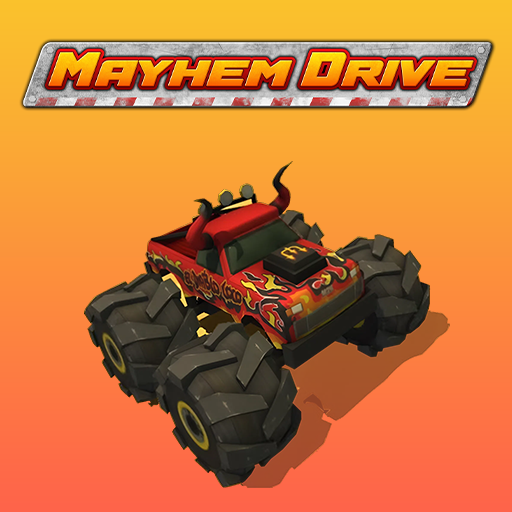






About Mayhem Drive
Mayhem Drive makes exploration part of the stunt challenge. Its open maps contain ramps, loops, jumps, and hidden areas, letting you choose what to attempt rather than follow only one race route. The useful starting point is spotting a sequence: approach, takeoff, landing, and somewhere to continue afterward.
Points, coins, and vehicle progression give those experiments a longer-term purpose. Different vehicles add variety to how the map feels, but a larger or faster machine also changes the space needed for a manoeuvre. Use the freedom to learn rather than assuming the most dramatic launch is automatically the best attempt.
How to Play Mayhem Drive
Drive with WASD, explore the map, and choose a ramp or stunt route with a clear landing. Use Shift Nitro when the approach is aligned, then collect results and develop or unlock vehicles through repeated attempts.
- Choose a vehicle and explore an open section of the map.
- Line up a ramp or stunt with a visible landing, using Nitro when the approach is stable.
- Recover after the manoeuvre and use the resulting points or coins to pursue further vehicle options.
Controls & Timing
Choosing a stunt line
A ramp is only the first part of the attempt. Inspect the ground beyond it and leave room to regain control after landing before adding more speed or rotation.
Vehicle progression
A different vehicle can alter the timing and space a stunt requires. Return to a familiar obstacle after changing cars so you can learn the new response without adding an unfamiliar route.
Controls
| Input | Action | When to use |
|---|---|---|
| WASD | Drive the selected vehicle. | While following the route and avoiding obstacles. |
| Shift | Activate Nitro. | On a clear approach with room to continue. |
High Score Tips
- Explore before boosting. A slow look at the map can reveal whether the landing area is usable.
- Keep Nitro for an aligned approach. Extra speed during a sharp correction can send the car away from the intended ramp.
- Practise one stunt sequence. Repeating the same approach makes changes in timing easier to judge.
- Look beyond a hidden-area entrance. An interesting location is only a useful driving route if you can also leave it.
Key Features
- Open exploration. Open maps for free exploration.
- Stunt routes. Ramps, loops, and stunt opportunities.
- Earned progress. Points and coins support vehicle progression.
- Unusual vehicles. A variety of unusual drivable vehicles.
Frequently Asked Questions
Must I win a race to enjoy the game?
Free-roaming stunts and exploration sit alongside events. You can choose a stunt goal rather than treating every session as a race.
How do I boost?
Shift activates Nitro. Align the car with a clear approach before using it, especially near ramps and sharp corners.
Why inspect the landing area?
A successful takeoff can still leave the vehicle in an awkward or blocked position. The landing determines whether you can recover and continue.
Should I use the same speed with every vehicle?
No. Different vehicles can require different approaches. Test a familiar stunt before assuming the previous car’s timing still applies.