
About Highway Racer 2
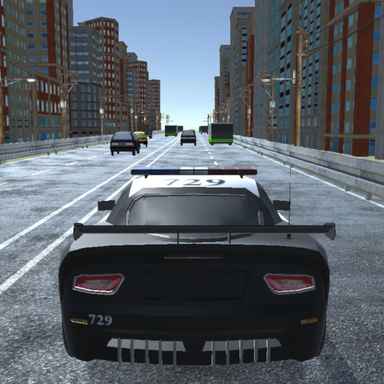
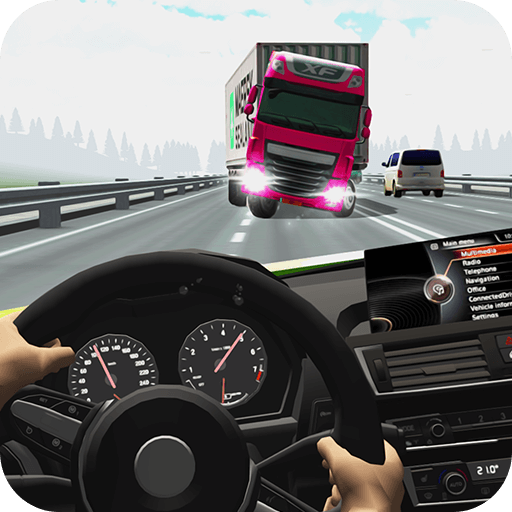
Highway Racer 2 centres on the changing spaces between vehicles. Cars, trucks, and buses do not form a static obstacle course, so a passing gap has to be judged in relation to what will happen next. High speed can improve the result, but it also reduces the time available to revise a poor choice.
Multiple modes and vehicle options add variety to the traffic-driving loop. Those choices are useful when they change how you approach a familiar problem, such as braking before a congested section. A longer run usually benefits from a chain of manageable decisions rather than a few close passes followed by an unavoidable crash.
How to Play Highway Racer 2
Select the available mode, check its driving controls, and move through highway traffic while keeping enough room to avoid contact. Build distance and passing opportunities, then use the available garage options.
- Choose an available mode and check its displayed controls.
- Read the highway ahead and pass vehicles without closing off your next move.
- Build distance or meet the mode’s objective, then compare the available garage choices.
Controls & Timing
Passing a moving gap
Do not judge a lane only by the nearest vehicle. Look at the traffic beyond the gap to avoid completing an overtake with nowhere left to go.
Risk and recovery
A close pass can be rewarding, but the important question is whether another correction remains possible. Leave enough room to slow down or move away when the next section changes.
Controls
| Input | Action | When to use |
|---|---|---|
| In-game driving layout | Use the steering, acceleration, and brake inputs shown in the control layout. | When the route requires a slower or corrected approach. |
High Score Tips
- Watch the slower vehicle beyond the pass. It often determines when you need to stop accelerating.
- Leave a backup lane. A route with only one narrow opening becomes fragile when traffic shifts.
- Learn a car’s braking response. Knowing when speed falls is as useful as knowing how quickly it rises.
- Ignore a risky bonus when the exit is hidden. Visibility is part of judging whether the pass is worth attempting.
Key Features
- Mixed traffic. Highway traffic with several vehicle types.
- Reward opportunities. Earn points for distance and close passes.
- Mode variety. Multiple driving modes.
- Garage development. Unlockable and adjustable cars.
Frequently Asked Questions
What should I watch during an overtake?
Look beyond the vehicle you are passing. The next car or truck may close the lane before your overtake is complete.
Where do I check the controls?
Check the in-game control layout before driving. Locate steering, acceleration, and braking, then practise them on a clear stretch.
Is speed the only scoring factor?
No. Distance and close passing also contribute to scoring. Choose opportunities that allow the run to continue rather than maximising speed at every moment.
How should I compare new cars?
Try them in the same mode and on similar traffic situations. That makes acceleration, braking, and steering differences easier to recognise.